
Classroom Walkthrough Planner for Principals
In this video, Dr. Justin Baeder discusses how principals can get organized to do classroom walkthroughs every day and avoid missing teachers.
Get the Classroom Walkthrough Planner
Free printable PDF: the 3-Cycle Startup Plan, 10 feedback questions, a Walkthrough Roster, a Master Schedule, and daily planning pages. Print as many as you need.
Key Takeaways
- Organization Matters - Without a system, principals tend to visit the closest and easiest classrooms and miss everyone else.
- Use A Simple Planner - The Classroom Walkthrough Planner includes a startup plan, feedback questions, a staff roster, and daily planning pages.
- Start Before You Overcomplicate It - In the first two walkthrough cycles, just focus on getting into classrooms and tracking who you’ve visited.
- Add Feedback In Cycle Three - Once the routine is established, use simple notes and feedback questions to have more substantive conversations with teachers.
- Walkthroughs Build Leadership Capacity - Daily classroom visits give you critical information about instruction and strengthen professional relationships with teachers.
Full Transcript
If you want to get into classrooms every day, if you want to do enough classroom walkthroughs, you've got to get organized, or the same thing that happened to me will happen to you. You get out of the office and you say, okay, I'm going to go visit some classrooms,
and you go visit the closest, nicest people, and then you get interrupted, and then you're done for the day, and then it's two weeks before you try again. Over and over, what happens is we tend to visit the people who are easiest to visit,
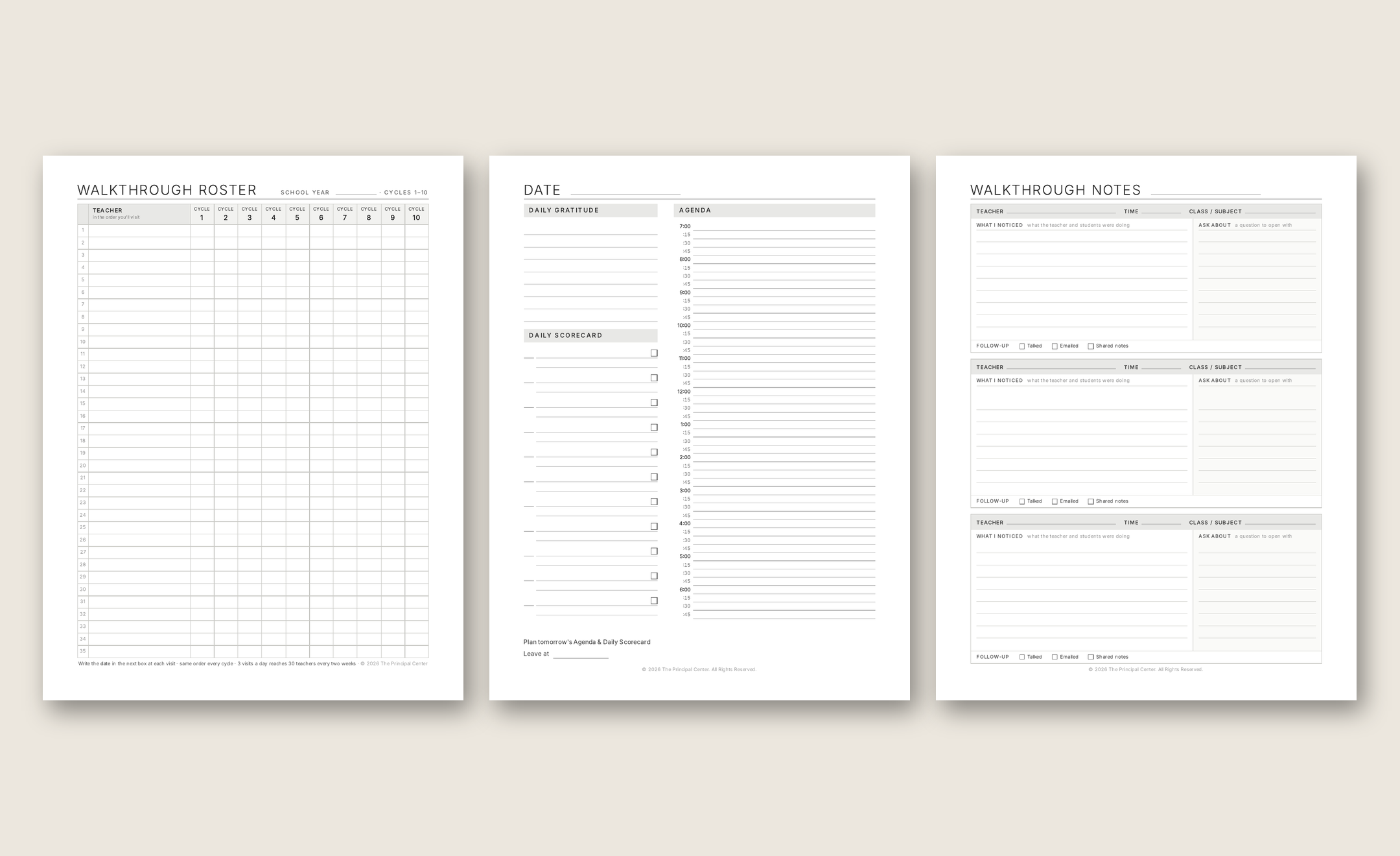
and we miss everybody else. So you've got to get organized if you want to get into classrooms consistently. And I've got a new resource for you called the Classroom Walkthrough Planner that will get you organized quickly. It's got the three-cycle startup plan, it's got my ten feedback questions, then it has a staff roster
so you can make sure you don't miss anybody, and it has a place where you can write out your master schedule, or have somebody write that for you, or just print one.
So that you know who's teaching what at what time, and then you've got the main planner pages, and you can print as many of these as you want. You've got your, kind of, agenda for the day here, and then on the other side, you've got room to write out your notes as you get around to three classrooms a day.
And you don't have to do a whole lot on the note-taking, right? Keep it simple. And in fact, in your first two cycles, you don't need to take any notes at all. So just go start getting into classrooms.
Just keep track so you make sure you get to everybody. And then starting in your third cycle, you can use that page to start to take some notes so you have something substantive to talk with the teacher about. And again, you can use the 10 feedback questions that are earlier in the planner. You can get that at principalcenter.com slash planner. We are not charging for that.
It is free. There are directions on the last page as to how to use that, and we've had a lot of people download it already so they can start getting into classrooms, and that is the thing I want you to do most of all if you are a school administrator.
If you're a principal or assistant principal, you have got to get into classrooms every day, and that will give you two things. It will give you information about what's going on in classrooms, which is incredibly important for your leadership, And it will give you professional relationships.
Now, hopefully, it will also give you the opportunity to help teachers improve. But just those first two things, information and relationships, make it worth the trouble.
So, get out there, get into classrooms, get the planner at principalcenter.com slash planner.